
From Business Problem to Production: What Should a Custom Software Development Process Actually Look Like?
A business decides it needs custom software. The requirements are discussed, a development team is hired, and the project begins. Several months later, the application looks complete, but employees still cannot use it properly.
Some workflows were misunderstood. An important integration was discovered too late. Historical data does not match the new system. Testing covered the basic features but missed the exceptions employees handle every day.
The problem may not be the quality of the code. It may be how the project was planned and delivered.
A good custom software development process does not begin with programming. It begins by understanding how the business works, what needs to change and how the finished application will be used.
Development, testing and deployment matter, but they are only parts of the wider process. Requirements, integrations, data migration, security, handover and ongoing support must also be addressed.
This guide explains what should happen at every stage of custom software development, what your business should receive and which decisions can prevent expensive problems later.
What Is the Custom Software Development Process?
The custom software development process is the structured approach used to plan, design, build, test, deploy and maintain software developed for a particular organization's requirements.
Unlike installing an existing software product, custom development involves defining the workflows, users, permissions, data and business rules the application must support. The process is often described through the software development lifecycle, or SDLC.
In practice, the stages are not always completed in one strict sequence. Requirements may be refined during testing, integrations may need early prototypes, and feedback from working software may change development priorities.
What matters is that every important decision is made with enough information and that the business can verify progress throughout the project.
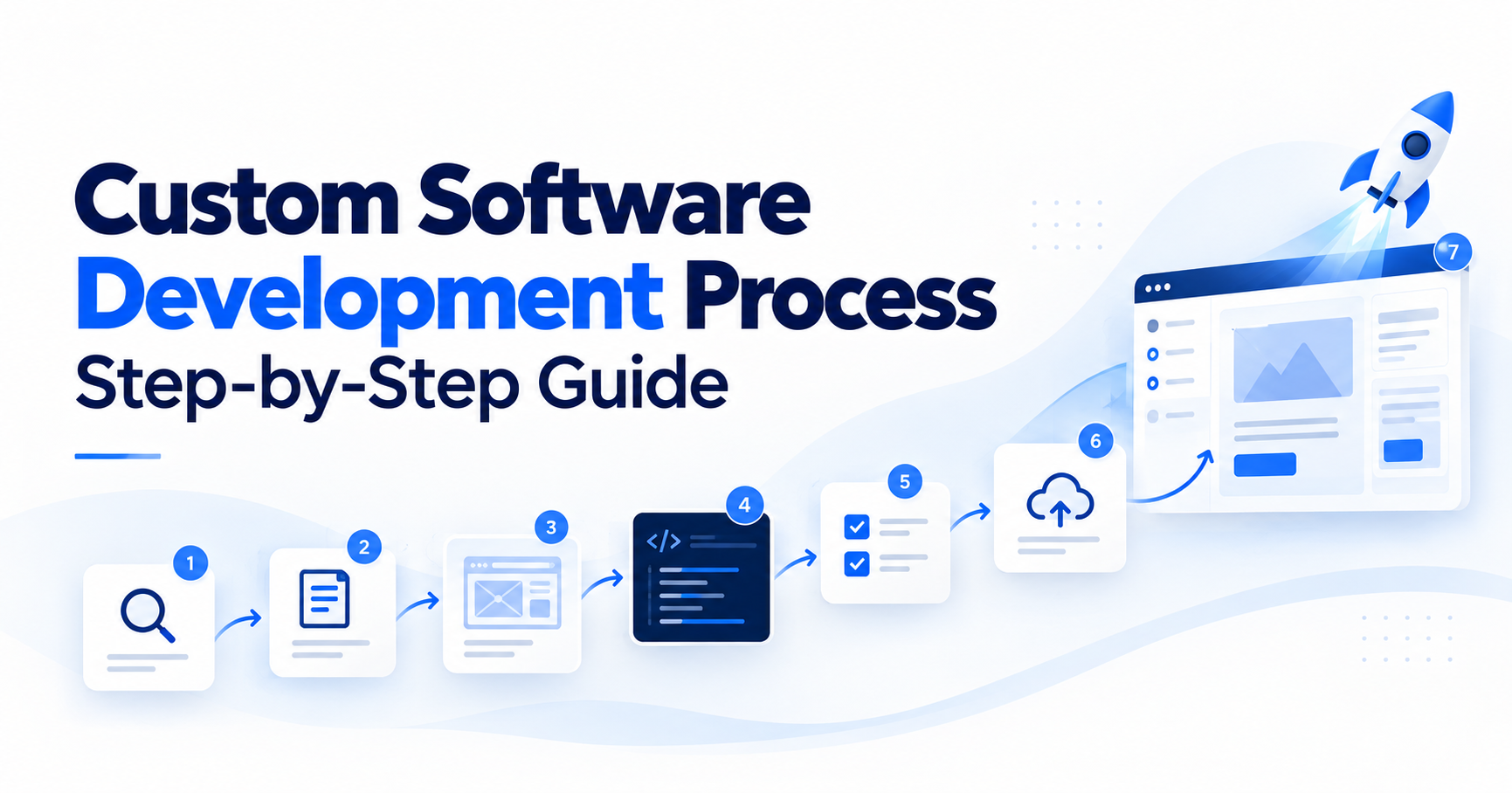
The Main Stages of Custom Software Development
| Stage | Main purpose | Expected deliverable |
|---|---|---|
| 1. Discovery | Understand the problem and existing workflow | Process map and problem definition |
| 2. Requirements | Define what the software must do | Requirements and acceptance criteria |
| 3. MVP scoping | Select the smallest useful first release | Prioritized scope and release plan |
| 4. Architecture | Plan technology, data and integrations | Technical design and risk assessment |
| 5. Development | Build and review working functionality | Tested software increments |
| 6. Quality assurance | Verify functionality, security and reliability | Test results and resolved defects |
| 7. Deployment | Release and validate the application | Working production system |
| 8. Handover and support | Establish long-term ownership and maintenance | Documentation and operating arrangements |
These stages overlap. For example, software QA should begin during requirements and design rather than waiting until all development work has finished. The exact activities also depend on whether the project involves a new application, an existing system or a replacement for an established business process.
Stage 1: Software Discovery Starts With the Business Problem
The first question should not be which programming language to use.
It should be: What is happening in the business today, and what needs to work differently?
Software discovery is the process of investigating the current situation before deciding what to build. This includes understanding the people who perform the work, the tools they use, the information they handle and the problems that regularly occur.
Consider a distributor that wants a new order management application.
During the initial discussion, the company explains that employees spend too much time processing orders. A development team might assume the solution is a more efficient order-entry interface.
But a closer review could reveal that the main issue is inventory information arriving late from the ERP. Employees must check stock manually because the storefront and warehouse system do not agree.
In that situation, a reliable integration may solve much of the problem without replacing the entire order management application. This is why software discovery should examine the process before committing to a solution.
What Happens During Software Discovery?
The development team should speak with the people who understand the actual workflow, including employees who use the current systems every day. The discussion should cover:
- How work begins and moves between people or departments
- Which systems and spreadsheets are involved
- Where information is entered, copied or corrected
- Who approves requests or makes important decisions
- What happens when information is missing or incorrect
- Which steps create delays, mistakes or repeated work
- Which existing functions must continue operating
A useful discovery exercise also identifies requirements that were never formally documented. For example, a manager may apply a special approval rule for a particular customer. If that rule exists only in the manager's knowledge, it can easily be missed during development.
What Should Discovery Produce?
The output should be more useful than a list of requested features. At minimum, the business should understand the current workflow, the main problems, the expected outcome and the systems that will be affected. The team should also identify important assumptions, unresolved questions and technical risks.
A good discovery phase reduces the chance of building software that works technically but does not solve the business problem. If an existing product can address the requirement through configuration or integration, that option should be considered before custom development begins.
Stage 2: Turn Business Needs Into Clear Software Requirements
Once the problem is understood, the next step is to define what the application must do. Software requirements gathering translates business needs into behavior that developers can implement and users can verify.
A common mistake is describing requirements only through broad statements such as "the system should be easy to use" or "we need better reporting." Those statements express an intention, but they do not provide enough information for design, development or testing.
Functional Requirements
Functional requirements describe what users and systems must be able to do. For an order approval application, they might include:
- Employees can create and submit an order request.
- Managers can approve or reject requests assigned to them.
- Rejected requests return to the employee with a reason.
- Approved orders are sent to the ERP.
- Users can view the status of their own requests.
These requirements explain the expected behavior.
Non-Functional Requirements
Non-functional requirements describe how the application must operate. They may involve performance, availability, security, accessibility, backup and recovery, data retention or other quality requirements.
For example, an application might require role-based access controls, defined recovery procedures and adequate performance under an agreed number of concurrent users.
Such requirements should reflect actual business needs. They should not be copied from a generic checklist without considering whether they apply.
Define Acceptance Criteria Early
Every important requirement should include a way to determine whether it has been implemented correctly. For example:
Requirement: Managers must approve purchase requests before orders reach the ERP.
Acceptance criteria:
- Employees can submit requests but cannot approve their own requests where separation of duties is required.
- Authorized managers can approve or reject requests.
- Rejected requests return to the requester with a recorded reason.
- Approved requests are sent to the ERP only once.
- The system records who made the decision and when.
These criteria can be used during development, quality assurance and user acceptance testing. They also make commercial discussions clearer because both the business and the development team can agree on what completion means.
Stage 3: Define the Smallest Useful MVP Scope
One of the most important decisions in custom application development is determining what belongs in the first release. Businesses often prepare long feature lists before development starts. Some requirements are essential, while others are ideas that may become useful much later.
Building everything at once increases the amount of work, delays feedback and makes the project harder to control. An MVP, or minimum viable product, is a limited version of software that provides enough functionality to test or deliver its intended value.
For an internal business application, the most practical interpretation is often the smallest useful version that can complete an important workflow safely and correctly. The goal is not simply to build fewer screens. It is to solve a complete problem with a manageable scope.
Example: Scoping an Internal Order Management MVP
Imagine a company wants to replace its spreadsheet-based order approval process. Its initial feature list contains employee accounts, manager approvals, ERP integration, inventory reports, supplier analytics, mobile notifications and advanced dashboards. The first release might include:
Essential functionality
- Employee and manager accounts
- Request submission and status tracking
- Approval and rejection workflows
- One necessary ERP integration
- Basic operational history and reporting
Functionality that can wait
- Advanced analytics
- Mobile applications
- Additional supplier integrations
- Custom notification preferences
- Optional management dashboards
The first version can deliver value when employees can complete the order approval process without returning to the spreadsheet. The remaining features can be prioritized after the team has used the application.
How Do You Know Whether an MVP Is Too Small?
An MVP is too small when it cannot complete the workflow it is intended to improve. For example, a system that allows employees to create requests but does not support the approval process may leave the business dependent on the same manual steps.
Similarly, removing necessary security controls or data validation to reduce development time is not sensible MVP scoping. The right first release includes the functions necessary for a safe, usable process while postponing features that do not yet provide essential value.
The Atlassian guide to minimum viable products explains the role of focused first releases in validating assumptions and gathering user feedback.
What Should the MVP Planning Stage Deliver?
The development team should provide a prioritized feature list, defined acceptance criteria, known dependencies and a release plan.
The business should understand what the first version will accomplish, what remains outside the scope and how later improvements will be evaluated.
A focused MVP makes the development project easier to test, review and improve without requiring every future feature to be built immediately.
Stage 4: Plan Software Architecture, Data and Integrations
Once the main requirements and scope are clear, the team can design how the application will work technically.
Software architecture covers the structure of the application, its major components, data storage, access controls and connections with other systems.
The right architecture depends on the requirements, expected workload, operating environment and maintenance needs.
Not every application requires microservices, multiple databases or a complex cloud environment. Additional technical complexity should have a clear purpose.
When Should Integrations Be Designed?
Integrations should be investigated during discovery and designed before the dependent functionality is developed. Waiting until the application is almost complete can create expensive rework.
For example, a new customer portal may need to retrieve order status from an existing ERP. If the ERP cannot provide that information through a suitable interface, the planned customer experience may need to change.
Early technical assessment should identify whether the necessary APIs, files, database access or other supported connection methods are available.
Define Data Ownership
When two systems share information, decide which system is responsible for the authoritative version of each record. For example:
- The CRM may own customer contact information.
- The ERP may own stock availability and accounting records.
- The custom application may own internal approval decisions.
These responsibilities must be documented before synchronization rules are implemented. Otherwise, systems may overwrite each other's information or produce conflicting records.
Design for Integration Failures
An integration is not reliable simply because it successfully transfers information during a demonstration.
The design should explain what happens when a connected system becomes unavailable, returns incomplete information or processes a request more than once.
Depending on the workflow, this can require retries, duplicate prevention, error queues, reconciliation and monitoring.
Businesses that need to connect existing systems can evaluate Eye4Tech's API and system integration services alongside broader application development.
Plan Security From the Beginning
Security requirements should influence architecture rather than being added only before launch. The team should consider authentication, permissions, sensitive data handling, logging, dependency management and secure configuration.
The NIST Secure Software Development Framework provides a structured reference for integrating security practices into the software development lifecycle. The exact controls depend on the application's data, risks and legal or contractual requirements.
At the end of this stage, the team should have enough technical information to develop the application without making major architectural decisions blindly.
Stage 5: Develop the Application in Working Increments
Software development turns requirements and technical designs into working functionality. However, the business should not have to wait until the end of the project to find out whether the application supports its workflows correctly.
Building in increments allows users and stakeholders to review completed functionality while there is still time to make changes.
What Does Incremental Development Look Like?
Consider the same internal order approval application. The team might organize development into several working increments.
Increment 1: User access and requests
Employees can sign in, create requests and view their status.
Increment 2: Manager approvals
Authorized managers can approve or reject requests according to the agreed rules.
Increment 3: ERP integration
Approved requests can move into the existing ERP with appropriate handling for errors and duplicates.
Increment 4: Reporting and operational checks
Users can review request history, identify outstanding work and verify the complete workflow. This is an illustrative sequence rather than a mandatory development schedule. Some integration risks may need to be resolved earlier through a technical prototype.
What Should Happen During Development Reviews?
Regular demonstrations should involve the people who understand the business workflow. They should test the software using realistic scenarios rather than simply watching the development team click through prepared examples.
If a manager discovers that a particular approval exception was missed, it is generally better to identify that problem during an early review than after deployment. Feedback should be documented and evaluated against the agreed scope.
Not every suggestion needs immediate implementation. Some changes may affect deadlines, costs or technical design and should be approved before work proceeds. A useful development review should make progress visible and help the business confirm that the team is building the right application.
Stage 6: Start Software Quality Assurance Before Development Ends
Software QA is sometimes treated as a final activity that happens after the application has been built. That approach creates unnecessary risk.
Quality assurance should begin during requirements and design, continue through development and remain part of the process after launch.
Early QA helps teams find unclear requirements, identify important test cases and verify that the application behaves correctly as new functionality is added.
Microsoft's Azure Well-Architected testing guidance recommends planning tests early and continuing testing throughout the application lifecycle.
What Should a Software QA Process Include?
The testing approach should reflect the application's functionality and risks. Common testing activities include:
Functional testing: Checks that individual features behave according to requirements.
Integration testing: Verifies that connected systems exchange information correctly, including error conditions.
Regression testing: Confirms that new changes have not broken previously working functionality.
Security testing: Evaluates relevant access controls, vulnerabilities and data protections.
Performance testing: Checks application behavior under realistic workloads where performance is important.
User acceptance testing: Allows business users to verify the workflows they will rely on.
These activities may overlap, and not every application needs the same depth of each test type.
Test Exceptions, Not Just Normal Workflows
Imagine that the approval system correctly sends an order to the ERP. That is useful, but the team should also test what happens when the ERP is unavailable, the order has already been submitted or required information is missing.
For example, the application should not create duplicate orders simply because an employee retries a request. Testing should therefore cover the situations that commonly disrupt real business operations, not only the easiest path through the interface.
What Should Be Ready Before Deployment?
Before release, the team should verify that critical requirements meet the agreed acceptance criteria.
Outstanding defects should be reviewed according to their severity, and any accepted limitations should be understood by the business.
A working demonstration is not enough. The application needs evidence that important workflows behave correctly.
Stage 7: Prepare the Data Migration and Production Deployment
Software deployment is the process of making the application available in the environment where it will be used.
For a new application, this may involve infrastructure setup, database configuration, security controls, deployment pipelines, monitoring and backup arrangements.
For an application replacing an existing system, deployment may also require data migration and a controlled transition between the old and new processes.
Plan Data Migration Before Launch
Historical records can be difficult to move when they contain duplicates, inconsistent formats or missing information. The team should identify which records need to be migrated, how they will be transformed and how the results will be verified.
For example, transferring order records may require preserving customer identifiers, transaction history, approval status and relationships between records.
A migration plan should include validation and a recovery approach appropriate to the system. Do not assume that imported records are correct simply because the import completed without a technical error.
Should Old and New Systems Run in Parallel?
In some projects, a period of parallel operation can reduce transition risk. The old process remains available while employees verify the new application against real work.
For example, a business may compare reports from both systems before relying entirely on the replacement.
However, parallel operation is not always appropriate. Running two systems that can both modify the same records may create conflicting data.
The transition should therefore define which system is authoritative, whether one environment is read-only and how differences will be investigated.
Use a Controlled Release Plan
Deployment should include a clear plan for releasing the application, monitoring its behavior and responding if something goes wrong.
Depending on the system, this may involve staged deployment, feature flags, a limited pilot or scheduled cutover.
Rollback and recovery must be considered carefully, particularly when database changes or external transactions cannot simply be reversed.
After release, the team should verify that users can complete critical workflows and that connected systems are functioning as expected.
A successful deployment means more than making the application accessible. It means the software is ready to support the intended business operation.
Stage 8: Complete Software Handover and Plan Ongoing Support
A custom software project is not finished simply because users can sign in. The business also needs to understand how the application will be operated, maintained and improved. This is the purpose of software handover.
What Should Software Handover Include?
The exact requirements depend on the project, but a practical handover can include:
- Source code and repository access
- Architecture and application documentation
- Database structure and migration information
- Deployment and environment configuration
- Integration and API documentation
- Automated tests and testing instructions
- Required credentials and service-account access
- Backup, recovery and monitoring procedures
- Known issues and agreed limitations
- Administrator training and operating instructions
The deliverables should be defined before development begins. A company should not discover at the end of the engagement that important credentials or deployment knowledge remain with the original developers.
Who Owns the Application After Handover?
Ownership should be defined in the software development contract.
Eye4Tech's published approach provides for client ownership of the custom software developed for the engagement, a repository within the client's organization and documentation as a deliverable.
The individual contract should still specify the relevant rights, third-party components, deliverables and responsibilities. Clear ownership and documentation make it easier for an internal team or another qualified provider to maintain the application later.
What Happens After Software Launch?
Applications need updates and operational attention after release. Requirements change, dependencies receive security updates and external services may change their APIs.
Ongoing support can include monitoring, bug fixes, backup checks, dependency updates, performance improvements and small enhancements.
Some businesses prefer the original development team to provide these services. Others take responsibility internally after handover.
Either approach can work if the responsibilities, access arrangements and support expectations are clear.
Eye4Tech's Cloud & DevOps services cover production infrastructure, deployment, monitoring and ongoing operational support.
A Practical Example: Building Software Around a Transport Workflow
A useful way to understand the custom software development process is to look at how business requirements affect the application structure.
Eye4Tech's published DAR Transport case study describes a software project for a Canadian freight and logistics business. The company needed a connected process for quoting, dispatch, tracking, delivery and invoicing.
However, the initial assessment revealed an important business issue: the company's advertised services did not fully match the work it actually performed. The engineering project began with a documented capability review rather than simply converting the existing service list into software.
That review identified 22 advertised services that needed to be removed and prevented from returning through the application's supported service definitions. The platform also needed to serve three different groups: dispatch staff, customers and drivers.
Those users required different permissions and workflows, so the application was organized around three connected portals rather than one interface for everyone. The published case study reports:
- 22 unsupported advertised services removed and blocked
- 3 portals for administrators, customers and drivers
- 109 API endpoints supporting a 12-state order lifecycle
These figures describe the delivered system and its documented scope. They are not generalized performance results for other logistics businesses.
The project illustrates several development principles: validate the business rules first, understand each user group's responsibilities, design connected workflows and build the software around the actual operation. You can explore more examples in Eye4Tech's software development case studies.
How Long Does the Custom Software Development Process Take?
There is no universal timeline for custom application development. A focused application with clearly understood workflows may require less time than a project involving many user roles, complicated integrations, historical data migration or extensive security requirements.
The timeline is influenced by both development effort and the time needed for decisions, reviews and testing. Common factors include:
- Clarity of business requirements
- Number and complexity of workflows
- Integration availability and limitations
- Quality of existing data
- Security and compliance requirements
- Availability of business users for reviews
- Size of the first release
- Deployment and migration constraints
A project with a large feature list may be better divided into smaller releases.
Likewise, an apparently simple application may need additional discovery if important existing systems are poorly documented. A responsible timeline should account for the work required to deliver usable software, not only the time developers spend writing code.
Common Mistakes That Disrupt Software Development Projects
Even well-funded projects can encounter difficulties when important decisions are delayed.
- Starting Development Before Understanding the Workflow
A feature list does not always explain how work actually happens. Without adequate discovery, developers may implement an idealized process that fails when employees encounter exceptions.
- Including Too Much in the First Release
Adding every requested feature can increase complexity and postpone feedback. A smaller, complete workflow is often easier to validate and improve.
- Discovering Integrations Too Late
An application can look finished while still depending on a system that cannot provide the required data. Investigate critical integration constraints during discovery and design.
- Leaving QA Until the End
Late testing can reveal problems that affect large parts of the application. Define acceptance criteria early and test important behavior throughout development.
- Treating Deployment as a Single Technical Task
A successful release may depend on data validation, user training, monitoring, recovery planning and coordination with existing operations. Those activities require their own preparation.
- Ignoring Maintenance and Handover
Software that nobody can confidently maintain creates a new operational dependency. Ownership, documentation, credentials and support responsibilities should be agreed before the project begins.
What Should You Ask a Development Company About Its Process?
Before commissioning an application, ask the development team to explain how it will move from business requirements to a working production system. A useful discussion should cover:
- How will you understand our current workflow and the exceptions it contains?
- What documents and decisions will come out of discovery?
- How will the first release be scoped?
- When will important integrations and data migration be assessed?
- How often will we review working software?
- How will acceptance criteria and testing be managed?
- Who will approve changes to project scope?
- What happens if deployment reveals a problem?
- What documentation and access will we receive?
- Who will maintain the application after launch?
The answers should help your business understand the development approach, responsibilities and risks before approving the work.
Frequently Asked Questions
What Are the Stages of Custom Software Development?
The main stages are discovery, requirements gathering, MVP scoping, architecture and integration design, development, quality assurance, deployment, and handover with ongoing support. These stages often overlap. For example, testing begins during planning and continues through development and after launch.
What Happens During Software Discovery?
Software discovery examines the current business process, user responsibilities, existing systems, workflow exceptions and the problems the application needs to solve. Its purpose is to establish clear requirements and identify risks before development begins. Common outputs include a process map, requirement list, integration assessment and initial scope.
How Should an MVP Be Scoped?
An MVP should contain the smallest set of features needed to deliver a complete and useful outcome. Essential workflows, permissions, integrations and safety requirements remain in scope, while optional reporting, additional interfaces and future enhancements can wait. The first release should solve a real problem rather than simply demonstrate isolated features.
When Should Integrations Be Designed?
Critical integrations should be assessed during discovery and designed before dependent application functionality is developed. The team should confirm available connection methods, data ownership, synchronization requirements and failure handling. Technical prototypes may be useful where an external system presents significant uncertainty.
When Does QA Begin in the Software Development Process?
QA begins during requirements and design, when acceptance criteria and testing needs are identified. Testing continues as functionality is developed and integrated, before deployment and after release. Waiting until the application is complete increases the risk of discovering important defects too late.
What Happens After Software Launches?
After launch, the application needs monitoring, maintenance, security updates, defect resolution and potentially further development. The business should receive agreed documentation, code and account access, as well as clear support responsibilities. The original development provider may continue maintaining the software, or the application can be handed over to an internal team.
Final Thoughts: The Development Process Should Protect the Business, Not Just Deliver Code
The best custom software development process is one that keeps the business problem visible from the first discussion to the final release.
Discovery explains what needs to change. Requirements define how the application should behave. MVP scoping controls unnecessary complexity. Architecture and integrations establish how the software fits into the existing environment.
Development, testing and deployment then turn those decisions into a reliable application, while documentation and support ensure it remains usable after launch.
No process can eliminate every technical risk or guarantee that requirements will never change. But clear decisions, visible progress and appropriate testing make those risks easier to understand and manage.
Planning a custom application or replacing an existing business system? Explore Eye4Tech's custom software development services or book a free 30-minute technical consultation to discuss your requirements, existing workflows and a practical approach to the first release.