
ERP and E-commerce Integration: How Do You Keep Orders, Inventory and Pricing in Sync?
A customer places an order on your ecommerce store. The payment is accepted, and the confirmation email arrives. But when the warehouse checks its system, the order is missing.
Another customer purchases a product that the storefront shows as available, even though the warehouse ran out earlier that morning. Meanwhile, your sales team notices that a negotiated customer price has changed online, but nobody knows which system updated it.
The storefront is working. The ERP is working. The warehouse software is working.
The problem is that the systems are not working together reliably.
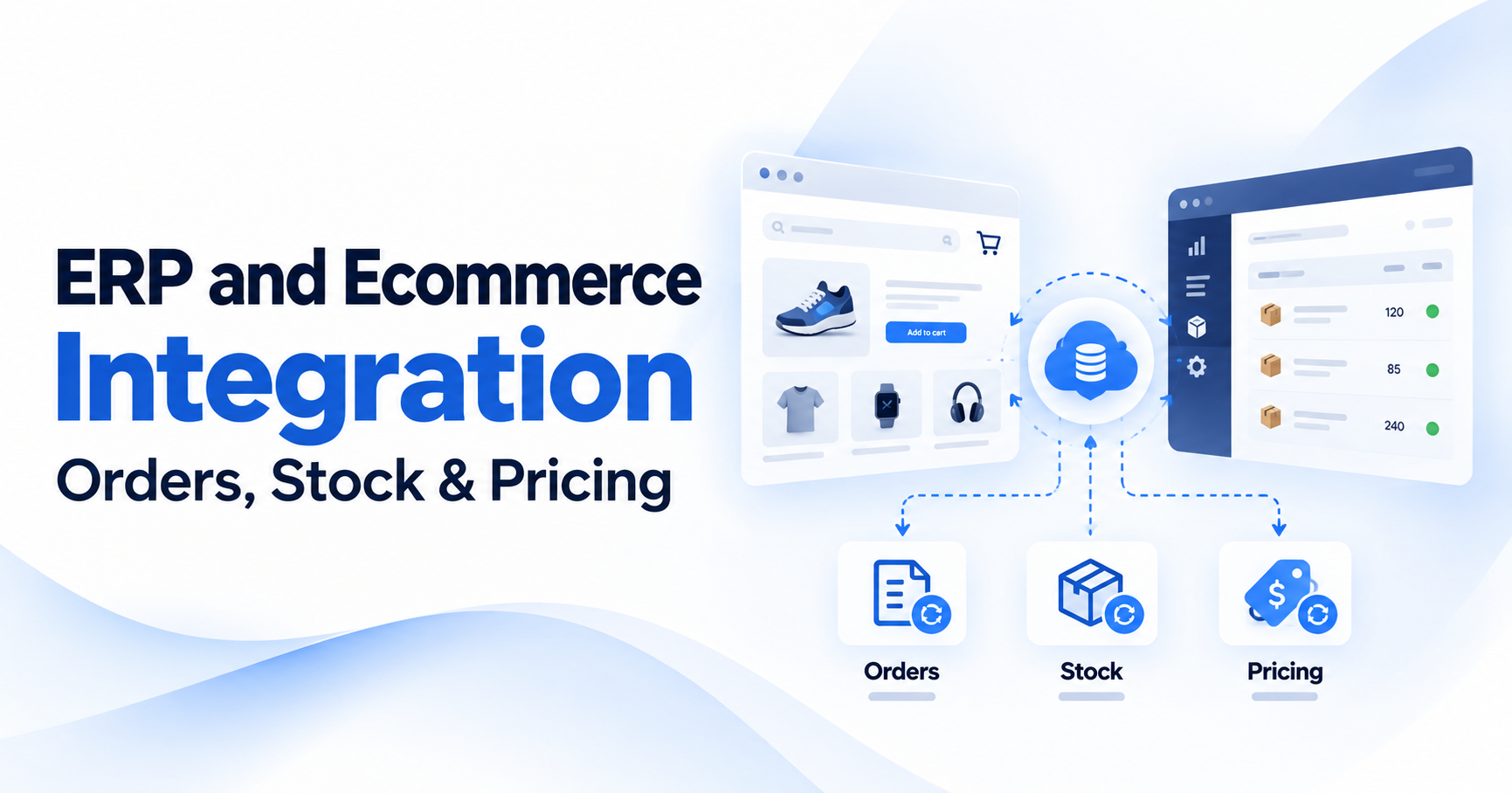
This is where ERP and ecommerce integration becomes important. It connects the information that moves between your online store and the systems responsible for inventory, pricing, orders, fulfillment and financial operations.
However, connecting two APIs is only the beginning. A dependable integration must also handle delays, duplicate requests, unavailable systems and differences between records.
This guide explains how ERP ecommerce integration works, which system should control each type of information, how frequently data should synchronize and what businesses need to consider before building or replacing an integration.
What Is ERP and Ecommerce Integration?
ERP and ecommerce integration is the process of connecting an online store with an enterprise resource planning system so that essential business information can move between them automatically.
An ERP system typically manages functions such as inventory, purchasing, accounting, supplier relationships and operational records. An ecommerce platform handles online product discovery, customer purchasing, checkout and store administration.
Integration allows the two systems to exchange information without employees repeatedly exporting files or entering the same records manually.
For example, when a customer places an order on Shopify, the integration may send the order to the ERP for processing. When inventory changes in the ERP or warehouse system, the integration updates the quantity available for sale on Shopify.
The direction of information flow depends on how the business operates.
What Data Needs to Move Between an ERP and Ecommerce Platform?
| Data | Typical information exchanged | Common direction |
|---|---|---|
| Products | SKUs, descriptions, identifiers, attributes | ERP or PIM to store |
| Inventory | Available quantities, location-level stock | ERP or WMS to store |
| Pricing | Base prices, customer-specific prices | ERP to store |
| Orders | Items, quantities, customer details, totals | Store to ERP |
| Customers | Accounts, addresses, account references | Defined by business rules |
| Fulfillment | Shipment status, tracking, delivered quantities | ERP or WMS to store |
| Cancellations and refunds | Status changes, returns, adjustments | According to workflow |
These directions are examples, not universal rules. A business may use a product information management system (PIM) for product content or a warehouse management system (WMS) for stock.
The first requirement is to determine which system is responsible for each field. Without that decision, two connected applications may repeatedly overwrite each other's information.
Why Do Ecommerce and ERP Systems Get Out of Sync?
An integration can appear successful during testing but still produce incorrect information after several weeks of normal operation.
This often happens because the integration was designed around successful requests without accounting for how systems behave during failures. Common causes include:
- Inventory updates arriving later than expected
- An order being sent twice after a timeout
- Product identifiers not matching across systems
- A scheduled synchronization job failing without an alert
- Two systems updating the same field independently
- An external API rejecting a request because of rate limits
- A cancellation or refund not triggering the expected adjustment
- Different systems interpreting the same order status differently
Consider a store that synchronizes inventory every hour. At 10:00 AM, the ERP reports 20 available units. By 10:15 AM, the warehouse has allocated 15 units to other orders, leaving only five available.
If the ecommerce store continues displaying 20 available units until the next synchronization, customers may place orders the business cannot fulfill.
The issue is not necessarily an incorrect inventory calculation. The store may be displaying information that was accurate when it was last received but is now outdated.
A reliable integration therefore needs to answer three questions: Which information is authoritative? How quickly must changes appear elsewhere? What happens when an update fails?
1. Decide Which System Owns Each Type of Data
Data ownership is one of the most important decisions in an ERP ecommerce integration project. If the store and ERP can both independently update the same record, conflicts are likely.
For example, the ecommerce team might change a product's price in Shopify while the finance team updates the same price in the ERP.
If both systems synchronize changes in both directions without clear rules, the newer update may overwrite the intended price, or the applications may repeatedly reverse each other's changes.
Create a Data Ownership Matrix
Before development, identify which system is responsible for the authoritative value of each field. A typical model could look like this:
| Information | System of record | Receiving system |
|---|---|---|
| Product SKU and identifiers | ERP or PIM | Ecommerce platform |
| Product descriptions | PIM or ecommerce platform | Other sales channels |
| Physical warehouse stock | WMS or ERP | ERP or ecommerce platform |
| Sellable inventory | Defined inventory authority | Ecommerce platform |
| Base product prices | ERP | Ecommerce platform |
| Store promotions | Ecommerce platform | ERP where required |
| Customer-specific contract prices | ERP or pricing engine | Ecommerce platform |
| Online order creation | Ecommerce platform | ERP |
| Financial records | ERP or accounting system | Other connected systems |
| Shipment tracking | WMS or fulfillment provider | Ecommerce platform |
The matrix should describe individual fields rather than assigning blanket ownership of every record to one platform.
For example, the ERP may own a product's standard price while Shopify controls a temporary promotional discount. Those are different values serving different purposes.
Why Field-Level Ownership Matters
Suppose a product has a standard price of $120 in the ERP. The ecommerce platform runs a temporary promotion that reduces the price to $108. If the integration simply copies the ERP price into every store pricing field, it may remove the active promotion.
Instead, the business should define how standard prices, promotional rules and customer-specific prices interact. The same principle applies to stock, fulfillment status and customer information. Reliable data synchronization starts with clearly defined ownership, not with choosing an API or integration tool.
2. How Should Inventory Synchronization Work?
Inventory synchronization keeps the ecommerce storefront aligned with the quantities customers can actually purchase. This is particularly important for merchants selling through multiple channels or fulfilling orders from several warehouse locations. The challenge is that physical stock and sellable stock are not always the same.
Understand Physical Stock vs. Available Stock
Imagine a warehouse contains 80 units of a product. Twelve units have already been allocated to confirmed orders, and the business wants to reserve another three units as a safety buffer.
An illustrative availability calculation would be: 80 physical units - 12 allocated units - 3 safety-buffer units = 65 sellable units
The storefront should not simply assume that all 80 physical units are available for new orders. This is a simplified example. Real inventory systems may already account for reservations, stock thresholds, incoming transfers and backorders. Those adjustments must not be deducted twice.
Adobe Commerce, for example, distinguishes between physical source quantities and salable quantities. Its Inventory Management documentation explains how stocks, sources and reservations affect what is available for purchase.
Multi-Warehouse Inventory Synchronization
A merchant may have inventory in several locations. For example:
- Warehouse A: 30 units
- Warehouse B: 15 units
- Retail location C: 10 units
The ecommerce platform may need to display availability based on fulfillment eligibility rather than the combined physical total.
A product in one warehouse may not be eligible for delivery to every customer. Another location may reserve stock for in-store purchases.
The integration should account for fulfillment rules, location identifiers and the inventory quantities that apply to each sales channel.
Avoid Two Systems Independently Adjusting the Same Inventory
One difficult situation occurs when the store reduces stock after an order, while the ERP also reduces its stock and sends an updated quantity back.
If the integration does not distinguish reservations, physical deductions and authoritative stock updates, the same sale can effectively reduce availability twice. The solution is to define which system owns each inventory state and how an order affects that state.
Shopify's inventorySetQuantities documentation specifically notes that absolute quantity updates are intended for integrations acting on behalf of the inventory source of truth. It also supports compare-and-set controls to prevent conflicting updates.
A dependable integration should use the appropriate platform operations rather than treating every stock update as an unrestricted overwrite.
3. How Often Should Inventory Synchronize?
There is no universal synchronization interval that works for every ecommerce business. The correct frequency depends on order volume, stock availability, the number of sales channels and how quickly inventory changes.
A merchant selling thousands of units of limited inventory may need much faster updates than a B2B distributor whose products are replenished regularly.
Real-Time, Near-Real-Time and Scheduled Synchronization
| Method | How it works | Appropriate situation |
|---|---|---|
| Event-driven | Changes trigger updates when they occur | Frequent inventory or order changes |
| Near-real-time | Updates are processed through short queues or intervals | Stores needing timely synchronization with controlled load |
| Scheduled batches | Data is compared and updated at defined intervals | Lower-priority data or systems with limited integration capabilities |
| Reconciliation jobs | Existing records are compared to identify differences | Detecting missed updates and correcting inconsistencies |
An event-driven process can provide timely updates without repeatedly checking every product. However, event-driven does not necessarily mean instantaneous or guaranteed. Events can be delayed, delivered out of order or missed when systems are unavailable.
Example Synchronization Policy
Consider a hypothetical multi-channel retailer. The business might decide that inventory changes should normally reach the storefront within a short operational window, while product-description updates can run less frequently.
Orders might be processed through an event-driven queue, with scheduled checks for orders that have not been acknowledged by the ERP. These are design choices, not universal service-level standards.
Each business should define acceptable delay, error conditions and escalation rules based on the consequences of outdated data. The objective is not to synchronize everything as frequently as possible. It is to keep important information sufficiently current without creating unnecessary API traffic or unreliable updates.
4. How Does Order Synchronization Work?
Order synchronization transfers customer purchases from the ecommerce platform into the systems responsible for processing and fulfillment.
The basic process sounds simple: receive an order, send it to the ERP and update its status. In practice, orders can involve several stages and external systems.
A Typical Ecommerce Order Lifecycle
Step 1: The customer submits an order
The ecommerce platform creates the order and records its products, quantities, prices, customer details and relevant transaction information.
The order's payment status must be considered according to the business workflow. An order being created does not always mean payment has been captured.
Step 2: The integration receives the order event
The connector receives a webhook or retrieves the order through an API. It identifies the order using a stable source-system reference.
Step 3: The order is validated
The integration checks required information, product identifiers, customer references and any necessary business conditions.
Step 4: The ERP receives the order
The integration creates or updates the corresponding ERP record using a process designed to prevent duplicates.
Step 5: The ERP acknowledges processing
The integration stores the ERP reference and records whether the transfer completed successfully.
Step 6: Fulfillment systems process the order
A warehouse or fulfillment platform receives the information it needs to pick, pack and ship the products.
Step 7: Status and tracking information return to the store
The ecommerce platform receives the appropriate shipment, tracking, cancellation or fulfillment updates.
Different businesses may use a different sequence. For example, fraud review, credit approval or payment authorization may need to occur before an order is released for fulfillment.
Why Order Status Mapping Matters
An ecommerce platform may describe an order as paid, partially fulfilled or canceled. An ERP may use statuses such as open, approved, allocated, invoiced or closed. These labels do not always represent identical business events.
The integration needs a documented status mapping that defines when transitions are permitted and what each transition should trigger. Without it, an order may appear completed in one system while the other still expects additional work.
5. How Do You Prevent Duplicate Orders?
Duplicate orders are a common risk when integrations retry failed requests. Consider this situation.
The ecommerce platform sends an order to the ERP. The ERP successfully creates the record, but the response is lost because the connection times out.
The integration does not know whether the request succeeded, so it sends the same order again.
Without a duplicate-prevention mechanism, the ERP may create two records for one customer purchase. That can lead to duplicate fulfillment, accounting discrepancies or manual correction work.
Use Idempotent Order Processing
Idempotency means that processing the same operation more than once does not produce additional unintended effects. For ecommerce order synchronization, this normally involves retaining a stable external order identifier and checking whether it has already been processed.
For example, an order from Shopify may have a source identifier such as: shopify-store-A / order-10025
The integration stores the association between that identifier and the ERP order record. If the same operation is retried, the connector should recognize the existing order rather than create another one.
A robust implementation may use database uniqueness constraints, persisted processing states and supported downstream idempotency keys.
A simple check before creating a record may not be sufficient if two workers process the same event concurrently.
Microsoft's messaging architecture guidance explains why duplicate delivery can occur and why consumers must be designed to handle repeated messages safely.
Handle Duplicate and Out-of-Order Events Separately
Receiving the same event twice is different from receiving events in the wrong order. For example, an order update may arrive before the event announcing that the order was created.
A connector should be able to retrieve the current record or use appropriate timestamps, versions and state-transition rules rather than assuming events always arrive in sequence.
It is also important to distinguish between preventing duplicate events and preventing duplicate business transactions.
A unique webhook delivery identifier helps with the first problem. A stable order identifier and correct processing rules help with the second.
6. How Should Pricing Synchronization Work?
Pricing synchronization can become complicated when different systems control different parts of the final selling price. A basic ecommerce store may use one price per product.
A B2B business may need negotiated contract prices, quantity discounts, customer groups, credit terms and special purchasing agreements.
The ERP may own the base price or customer-specific contract, while the ecommerce platform applies promotions or other supported rules during checkout.
Identify the Different Types of Prices
Before implementing pricing sync, distinguish between:
- Standard product prices
- Customer-specific contract prices
- Quantity and volume pricing
- Time-limited promotions
- Currency-specific prices
- Discounts and approved surcharges
- Tax and shipping calculations
These values should not automatically be treated as one field.
Example: Contract Pricing for a Distributor
Imagine a distributor selling the same product to three business customers.
Customer A pays $100 per unit.
Customer B has a negotiated price of $92.
Customer C pays $85 when purchasing at least 100 units.
The ecommerce integration must determine which rules apply when each customer signs in and places an order. That may require account identification, pricing data from the ERP and platform functionality capable of presenting the correct price.
Some platforms can support parts of this behavior through native B2B capabilities or extensions. Others may require custom development. The important issue is not where the pricing rule is stored, but whether the business has a clear source of authority and the final checkout price is correct.
Preserve the Price Applied to an Order
Once a transaction is accepted, the order should retain the appropriate agreed financial information. A later product-price update should not silently rewrite the price of an existing transaction.
The ERP and ecommerce platform should also agree on how discounts, shipping charges, taxes, rounding and currencies are represented. Otherwise, the same order may have different totals in different systems.
For businesses with account hierarchies and negotiated pricing, see Eye4Tech's B2B and Distribution software experience.
7. What Happens When the ERP Is Unavailable?
An ERP system may become unavailable because of maintenance, network problems, API limits or internal service failures. A store should not assume that connected business systems will always respond immediately. How the ecommerce platform behaves during an ERP outage depends on the business requirements.
Use a Durable Queue for Important Work
A common approach is to place order-processing tasks into a durable queue rather than relying on a single immediate API request. The connector records the work that must be completed, then attempts to deliver it when the receiving system is available.
If the request fails temporarily, the integration can retry it using controlled delays.
If the failure continues, the system should stop retrying indefinitely and make the unresolved task visible.
Distinguish Temporary Errors From Permanent Errors
A timeout or temporary service outage may justify another attempt. An invalid customer reference or missing required product identifier may not be resolved by sending the same request repeatedly. Permanent errors should be investigated and corrected rather than creating an endless retry cycle.
Use Dead-Letter Handling and Alerts
Messages that cannot be processed after the agreed retry policy can be moved into a dead-letter queue or another visible exception workflow.
That allows employees or engineers to investigate the reason, correct the data and replay the task safely when appropriate. Monitoring should identify not only failed requests but also tasks that remain unprocessed for too long.
Should Checkout Continue During an ERP Outage?
There is no universal answer.
If the storefront already has dependable inventory and pricing information, some businesses may choose to continue accepting orders and queue them for later processing.
If the ERP is required to authorize credit, confirm regulated products or validate actual availability, continuing to accept orders may create unacceptable risks.
The outage policy must be agreed before launch. A reliable integration should fail in a controlled and visible way, not silently lose orders or create transactions the business cannot fulfill.
8. Why Webhooks Alone Are Not Enough
Webhooks can provide timely updates when an event occurs, such as an order being created or inventory changing. They are useful because the integration does not need to check every record continuously.
However, webhook delivery is not a guarantee that every business-system update has been processed correctly.
Shopify's webhook documentation states that deliveries are not guaranteed to arrive in order and recommends reconciliation jobs because webhooks can be missed or mishandled.
A Reliable Webhook Process
For an HTTPS webhook, the integration should verify that the request came from the expected platform, capture the relevant event information and persist the work before acknowledging it.
It should then process the event safely, applying duplicate-prevention rules and recording the result. The precise implementation depends on the platform and delivery method.
For Shopify HTTPS webhooks, signature verification and webhook delivery identifiers are documented mechanisms for authenticating requests and identifying duplicates.
The integration should also periodically compare records against the source platform rather than assuming that every required event was received.
Why Scheduled Reconciliation Is Still Necessary
Imagine that the integration misses one order event during an outage. If the system relies exclusively on webhooks, that order may remain absent from the ERP indefinitely.
A scheduled reconciliation job can identify the order in Shopify, check whether it exists in the ERP and create a controlled recovery task. This combination of event-driven updates and periodic verification is generally more dependable than relying on either method alone.
9. How Do You Reconcile Mismatched Ecommerce and ERP Data?
Reconciliation is the process of comparing records across systems to identify missing, outdated or inconsistent information. It is one of the most important safeguards in ERP ecommerce data sync.
An integration may report that all recent API requests succeeded while the systems still disagree about inventory, pricing or orders. That can happen when a record was skipped, an old update overwrote a newer one or a business rule produced different results.
Example: Inventory Reconciliation
Suppose the ERP reports 42 sellable units for a particular SKU and inventory location. The storefront reports 38.
Before correcting the quantity, the reconciliation process must determine whether the difference is caused by a real stock adjustment, a pending order reservation, a stale update or an incorrect mapping.
Blindly copying 42 into the storefront could make the problem worse if the systems use different inventory definitions.
What Should a Reconciliation Report Show?
| Field | Example |
|---|---|
| Product SKU | PROD-1042 |
| Inventory location | Warehouse A |
| ERP sellable quantity | 42 |
| Ecommerce sellable quantity | 38 |
| Difference | 4 units |
| Last successful synchronization | Recorded timestamp |
| Suspected cause | Pending or missed update |
| Resolution status | Requires investigation |
The example is illustrative.
For orders, a reconciliation report might compare the number of source orders, ERP acknowledgments, missing records, duplicate references and inconsistent statuses.
For pricing, it may compare agreed base or contract values while accounting for promotions and other defined transformations.
Should Every Difference Be Corrected Automatically?
No. Some differences have an obvious authoritative source and can be corrected safely through automation. Others require investigation because overwriting a value may conceal a transaction, reservation or mapping error.
The integration should distinguish between safe automatic corrections and exceptions requiring human review. Reconciliation frequency should be based on transaction volume, acceptable delay and the financial or operational consequences of inconsistency.
10. Shopify ERP Integration: What Should You Check?
Shopify ERP integration connects Shopify store operations with an external system that manages inventory, purchasing, accounting or other business records. The exact design depends on the ERP, Shopify configuration and the integration capabilities available.
Check API Access and Permissions
Identify which data the connector must read or modify. Use the necessary API permissions without requesting broader access than the integration requires.
Where customer information is involved, the implementation must also follow applicable platform access and privacy requirements.
Design Inventory Updates Carefully
Shopify supports inventory tracking by item and location. The connector must map ERP product identifiers to Shopify inventory items and the correct locations.
Absolute quantity updates and inventory adjustments serve different purposes. The integration should use the operation that matches the defined source-of-truth model.
Shopify's GraphQL inventory API also provides concurrency and idempotency mechanisms that should be considered when implementing inventory updates.
Verify Webhook Processing
Shopify can notify applications of relevant order and product changes through supported events and webhooks.
The connector should verify incoming requests, handle repeated deliveries and account for events that arrive late or out of order.
Account for API Limits
Shopify's GraphQL Admin API applies cost-based rate limits. An integration processing large product catalogues or frequent inventory changes should control request volume, handle throttling and use suitable supported bulk operations where appropriate.
An integration that works during a small test may still fail under normal production volume if rate limits are ignored.
Test Fulfillment and Refund Workflows
Do not stop testing once new orders appear in the ERP. Verify shipment creation, partial fulfillment, order cancellations, inventory restoration and refunds according to the business process. These workflows can affect multiple systems and should be included in the integration scope.
11. Magento ERP Integrations: What Is Different?
Adobe Commerce and Magento Open Source can support complex ecommerce operations, including multiple inventory sources and configurable product and order workflows.
The main challenge is often the amount of business-specific logic already present in the store. A merchant may use extensions, custom modules, external pricing engines or specialized fulfillment processes.
Understand Inventory Reservations
Adobe Commerce Inventory Management distinguishes physical source inventory from salable quantity.
Order placement, shipment, cancellation and refunds can affect reservations and stock availability.
An ERP integration must account for this behavior rather than assuming that one quantity field describes every inventory state.
Review Custom Pricing and Extensions
Magento-based stores may include additional modules controlling tiered pricing, freight calculations, product restrictions or business accounts.
The integration needs to identify which rules are implemented by the platform and which depend on custom code.
Overwriting platform-managed information without understanding those rules can create inconsistent results.
Test Order Status and Fulfillment Mapping
The ERP and Commerce application may use different status models. The connector should map order, invoice, shipment, cancellation and refund states according to how the business actually processes transactions.
Monitor Inventory and Data Consistency
Adobe Commerce provides mechanisms for examining inventory reservation inconsistencies. Where these capabilities apply, they can support investigations into quantity differences and missing reservation adjustments.
The relevant Commerce version, extensions and deployment architecture must be considered before choosing the integration method. Magento ERP integrations should account for the store's existing business logic, not just the data fields available through an API.
12. Do You Need Middleware or a Custom ERP Integration?
Not every ecommerce business needs a completely custom integration platform. Some ERP and ecommerce systems offer supported connectors. Others can communicate through an integration platform or middleware service.
Custom development is most useful when the existing options cannot reliably support the business's required data transformations, workflows or failure handling.
Compare the Available Approaches
| Integration approach | Suitable situation | Main consideration |
|---|---|---|
| Native connector | Supported ERP and ecommerce combination | Confirm feature coverage and limitations |
| Integration platform or middleware | Several systems and reusable workflows | Subscription costs, configuration and monitoring |
| Custom API integration | Specialized data or business rules | Development and maintenance responsibility |
| File-based exchange | Systems with limited API capabilities | Delay, validation and error handling |
The appropriate approach depends on the number of systems, transaction volume, available interfaces and operational requirements. A business should not commission custom development simply because it is technically possible.
Likewise, it should not depend on a connector that silently drops orders or cannot handle essential pricing and inventory rules. For more complex requirements, Eye4Tech provides API and system integration services covering ERP, CRM, ecommerce, shipping, payments and related business platforms.
13. How Should You Test an ERP Ecommerce Integration Before Launch?
Integration testing should cover normal workflows, unexpected events and system outages. A successful demonstration of one order reaching the ERP is not sufficient.
Order Synchronization Tests
- New orders arrive in the ERP with correct identifiers and values
- Repeated events do not create duplicate orders
- Payment and approval statuses map correctly
- Cancellations and refunds update the required systems
- Failed requests can be recovered without duplicate transactions
Inventory Synchronization Tests
- Each SKU maps to the correct product and inventory location
- Sellable availability follows the agreed business rules
- Inventory updates do not apply the same deduction twice
- Out-of-order updates do not overwrite newer authoritative values
- Overselling risks and stock buffers are tested
Pricing Synchronization Tests
- Standard prices match the authoritative system
- Customer-specific pricing is applied correctly
- Quantity discounts and promotions behave as expected
- Order totals remain consistent after acceptance
- Currency, tax and rounding rules are verified
Reliability Tests
- ERP outages trigger the intended failure policy
- Retries are controlled and idempotent
- Unresolved events become visible for investigation
- Reconciliation identifies missing or inconsistent records
- Monitoring alerts the responsible team to meaningful failures
Use realistic test data and representative transaction volumes. The team should also verify what happens when an integration partially succeeds, because those situations often create the most difficult operational problems.
14. What Should You Monitor After Integration Goes Live?
A reliable integration needs ongoing visibility. If a connector stops transferring records, the business should learn about the problem through monitoring rather than from a customer whose order has gone missing. Important measurements can include:
Synchronization delay: How long it takes for an important change to reach the receiving system.
Failed transaction count: How many updates could not be processed successfully.
Queue age: How long outstanding work has been waiting.
Missing-order count: Orders that exist in the source but have not been acknowledged by the ERP.
Inventory discrepancies: Differences between comparable availability values.
Reconciliation completion: Whether scheduled consistency checks ran and what differences they found.
API errors and throttling: Whether connected services are rejecting requests or approaching usage limits.
These measurements should lead to meaningful alerts and clear operational procedures. A dashboard alone does not make an integration reliable. Someone must know what the alerts mean and how to recover from a failure.
15. Real Example: Connecting Complex Ecommerce Operations at Lab Alley
Eye4Tech's work with Lab Alley, a US chemical distributor, provides an example of the integration challenges that can appear behind an ecommerce storefront.
Lab Alley operates an Adobe Commerce environment with requirements involving regulated products, hazardous-material handling, specialized freight calculations and connected operational systems.
The published Lab Alley case study describes work on shipping-cost reconciliation, catalogue validation, freight and compliance processes, and middleware supporting business operations.
One important requirement was identifying how shipping charges related to individual orders.
Without reliable matching between carrier invoices and ecommerce orders, the business could see that shipping costs were high but could not easily identify the orders and fee categories responsible. The published project information reports:
- 96.7% of orders matched line by line to carrier invoices
- 4,132 SKUs audited against production data
- 9 years of ongoing client work
These figures describe the documented project results. They are not presented as general ERP integration performance benchmarks.
The project illustrates why ecommerce integrations need to support real business rules, financial reconciliation and reliable data handling rather than simply transferring records between applications.
An integration should help teams understand the information they receive and identify when that information is wrong or incomplete.
16. How to Plan an ERP and Ecommerce Integration Project
Before choosing a connector or development company, document the requirements that determine how the integration must work. Start by identifying the current systems and their responsibilities.
Next, establish the records and fields that need to move between them, including the direction and expected frequency of each update. Then define the failure behavior for important transactions.
For example, decide whether an order should wait for ERP confirmation, whether it can be accepted while the ERP is unavailable and who investigates unresolved requests. Finally, specify reconciliation, monitoring and maintenance responsibilities.
Questions to Ask an Integration Provider
- Which system will own inventory, pricing and order information?
- How will product and customer identifiers be mapped?
- How quickly must important changes synchronize?
- How will duplicate and out-of-order events be handled?
- What happens if the ERP or ecommerce platform is unavailable?
- How will failed messages be retried or recovered?
- How will mismatched records be detected and reconciled?
- What happens when a vendor changes its API?
- Who monitors the integration after launch?
- Can our team access the logs, documentation and integration code where agreed?
A clear response should address business behavior, technical design and operational support.
For businesses considering an ecommerce platform change at the same time, Eye4Tech's ecommerce development services can help assess platform requirements alongside the integration work.
Frequently Asked Questions
How Does ERP Ecommerce Integration Work?
ERP ecommerce integration connects an online store with an ERP through supported APIs, webhooks, middleware or file exchanges. It synchronizes information such as products, inventory, prices, customers, orders and fulfillment updates. A reliable implementation defines data ownership, processes updates safely, handles failed requests and checks that records remain consistent.
Which System Should Own Inventory Data?
The system responsible for authoritative inventory information should own the relevant stock values. This may be an ERP, WMS or another inventory platform. The ecommerce store should receive availability information according to the agreed rules. Physical inventory, reservations and sellable quantities must be distinguished so updates do not create double deductions or incorrect availability.
How Often Should Inventory Synchronize?
Inventory synchronization frequency depends on order volume, stock volatility, sales channels and acceptable business risk. Event-driven or near-real-time updates may be appropriate for fast-moving stock, while less time-sensitive information can use scheduled synchronization. Regardless of frequency, reconciliation should identify missed or inconsistent updates.
What Happens When the ERP Is Unavailable?
A properly designed integration follows an agreed failure policy. It may queue orders, retry temporary failures and alert the responsible team. Whether the store continues accepting orders depends on inventory confidence, payment rules, credit checks and other business requirements. Critical transactions should not be silently discarded or processed twice.
How Do You Prevent Duplicate Orders?
Use stable source-order identifiers, persisted processing records, appropriate uniqueness constraints and idempotent operations. These mechanisms allow the integration to recognize a previously processed order when a webhook or API request is retried. Duplicate-event handling should also account for concurrent processing and events arriving out of order.
How Do You Reconcile Mismatched Data?
Reconciliation compares equivalent records across the ecommerce platform and ERP using stable identifiers and agreed definitions. It identifies missing orders, inconsistent statuses, stock differences and incorrect prices. Differences should be classified by cause, with safe automatic corrections where appropriate and human review for uncertain or high-impact cases.
Final Thoughts: Reliable Integration Means Knowing When Data Is Wrong
An ERP and ecommerce integration should do more than transfer orders, inventory and pricing between systems.
It should establish which application owns each field, keep important information sufficiently current and prevent duplicate transactions.
It must also handle outages, recognize errors and reconcile records that have drifted out of sync.
These requirements matter because an ecommerce store can appear to work perfectly while operational problems develop behind the scenes.
The most dependable integration is not necessarily the one with the fastest API connection. It is the one that preserves the business's rules, makes failures visible and provides a reliable way to recover.
Before investing in a new connector or replacing an existing integration, review your data ownership, synchronization requirements, exception handling and monitoring arrangements.
Struggling with missing orders, mismatched inventory or inconsistent pricing? Explore Eye4Tech's system integration services or book a free 30-minute technical consultation to discuss your ecommerce and ERP systems, existing issues and practical integration options.